

Key Takeaways - This statement is a snapshot of assets, liabilities, and equity on a specific date. - It follows the balance sheet equation: assets equal liabilities plus equity. - Businesses use it for lenders, investors, and planning, and individuals can use a personal version. - The template groups items into current and long-term categories so totals are straightforward to check. - Create yours instantly at 360 Legal Forms, attorney-vetted, customizable, and downloadable as a PDF or Word file. Only pay applicable subscription fees.
Whether you are applying for a business loan, reviewing your year-end numbers, or tracking your personal net worth, this template organizes your figures in a standard balance sheet format. No legal experience is needed to create one.
What Is a Balance Sheet?
It is one of the main financial statements, alongside the income statement and cash flow statement. It follows the equation assets = liabilities + equity
Assets are what the business owns, liabilities are what it owes, and equity is the owner's share. Items are typically split into current (within one year) and long-term categories.
Other Names for a Balance Sheet
- Statement of Financial Position
- Statement of Financial Condition
- Balance Sheet Template
- Balance Sheet Format
- Classified Balance Sheet
- Personal Balance Sheet (for individuals)
No matter what it's called, 360 Legal Forms helps you create a version that fits your business or personal finances.
Who Needs a Balance Sheet?
- Small business owners tracking their company's financial position
- Businesses seeking financing need to show lenders their assets and debts
- Companies with investors or partners who want regular financial updates
- Individuals preparing a personal balance sheet to track net worth
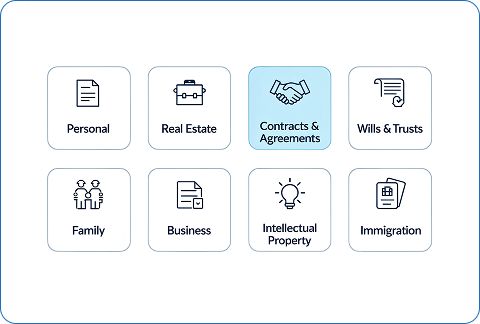
Balance Sheet Formats
What Does a Balance Sheet Include?
Your 360 Legal Forms template includes these sections.
How to Fill Out a Balance Sheet (Step by Step)
1. Choose the Reporting Date
Pick the date your figures will reflect, such as the last day of a month, quarter, or year.
2. Enter the Business Details
Add the business's legal name and entity type.
3. List Current Assets
Enter cash, accounts receivable, inventory, and other assets you expect to use within a year.
4. List Long-Term Assets
Enter property, equipment, and vehicles, minus accumulated depreciation.
5. List Current Liabilities
Enter accounts payable, short-term loans, and other debts due within a year.
6. List Long-Term Liabilities
Enter mortgages, business loans, and other debts due after one year.
7. Calculate Owner's Equity
Enter owner investment and retained earnings, or subtract total liabilities from total assets.
8. Check That It Balances
Confirm that total assets equal total liabilities plus equity, then download it.
What Is a Balance Sheet Used For?
It shows the financial position of a business at a point in time. Owners use it to track progress, and lenders and investors often review it before providing financing.
It is also commonly compared with an income statement, which shows revenue and expenses over a period of time.
Why Is a Balance Sheet Important?
- It shows your financial position. The SBA describes this statement as a snapshot of a business's finances
- It supports financing requests. Lenders often ask for one with a loan agreement application or a business plan.
- It helps with planning. Comparing statements over time can show how the business is changing.
What Information Will I Need to Create My Balance Sheet?
- Business Details: Legal name and entity type
- Reporting Date: The date the figures apply to
- Current Assets: Cash, receivables, inventory, and prepaid expenses
- Long-Term Assets: Property, equipment, and vehicles
- Current Liabilities: Payables, short-term loans, and taxes owed
- Long-Term Liabilities: Mortgages and long-term loans
- Owner's Equity: Owner investment and retained earnings
Balance Sheet Signing Requirements
This statement generally does not need a signature or notarization. Some lenders may ask the owner to sign or certify the figures, so check what the recipient requires.
What to Do With Your Balance Sheet?
- Review the totals. Confirm that assets equal liabilities plus equity.
- Share it as needed. Send it to your lender, investor, or accountant as a PDF.
- Store it securely. Keep each one in your secure 360 Legal Forms account.
- Update it regularly. Create a new one each month, quarter, or year.
Explore our full library of attorney-vetted business legal forms
Why Use 360 Legal Forms for Your Balance Sheet?
Customized for You, by You
Our guided questionnaire walks you through every section, so your statement reflects your exact figures.
Attorney-Vetted for All 50 States
Every template is reviewed by experienced attorneys and designed to work across all 50 states.
Download Instantly as a PDF or Word File
Once your questionnaire is complete, download it from your secure online account. Pam Rogers, a verified 360 Legal Forms customer, found the forms straightforward to use and the customer service helpful.
Conclusion
This statement shows what your business owns, owes, and is worth on a specific date in a standard format. Create your free balance sheet at 360 Legal Forms and download it instantly as a PDF or Word file. Only pay applicable subscription fees.
Bibliography
- Beginners' Guide to Financial Statements U.S. Securities and Exchange Commission · n.d.
- Manage Your Finances U.S. Small Business Administration · n.d.
360 Legal Forms is not a law firm and does not provide legal advice. The information provided is for general informational purposes only. Laws vary by state, so consult a licensed attorney for advice specific to your situation.