

It's in the best interest of both the tenant and the landlord to have a good relationship. One of the factors making that much more comfortable is when everyone abides by everything in the lease agreement.If something in the property breaks down, such as the AC, the tenant has the right to ask the landlord to fix it. This is not the tenant's responsibility. In most cases, it is enough for the tenant to inform the landlord. If the landlord doesn't act on it, you could elevate the matter with a Notice to Repair.
What Is a Notice to Repair?
If a property owner or manager fails to maintain a rental property as is their responsibility, they violate the lease agreement.
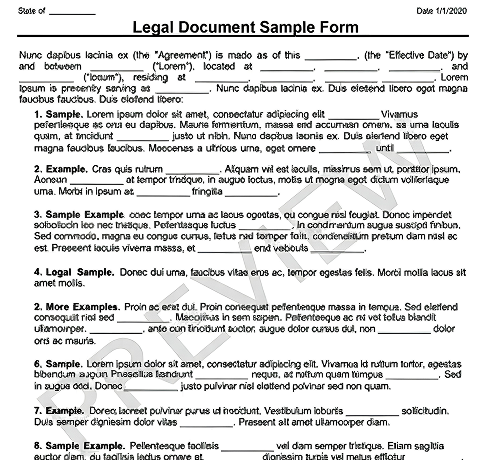
The Notice to Repair is a written request from a tenant outlining the reason for a requested repair, usually with a deadline specified. The notice can be used for any maintenance or upkeep matters falling under the responsibility of the landlord. It could also be a general complaint form that the property has been poorly maintained by the landlord or manager of the concern.
Other Names for Notice to Repair
Depending on your state, a Notice to Repair may also be known as:
- Repairs Notice
- Repair Request Letter
- Request for Repairs
- Tenant's Request for Repairs
Who Needs a Notice to Repair?
Tenants could use a Notice to Repair to request for a property maintenance task to get done formally. They could ask the landlord or manager in person beforehand, but the notice creates a paper trail that can support a tenant's decision to get out of a lease agreement scot-free.
Why Use 360 Legal Forms for Your Notice to Repair?
Customized for you, by you
Create your own documents by answering our easy-to-understand questionnaires to get exactly what you need out of your Notice to Repair.
Specific to Your Jurisdiction
Laws vary by location. Each document on 360 Legal Forms is customized for your state.
Fast and easy
All you have to do is fill out a simple questionnaire, print, and sign. No printer? No worries. You and other parties can even sign online.
How to Create a Notice to Repair With 360 Legal Forms
Your Notice to Repair only needs a few relevant details about the landlord, tenant, and lease agreement. The most crucial part is to outline the extent of the damage and the urgency of the repair.
Let 360 Legal Forms help with our extensive library of attorney-vetted legal forms. The process is fast and easy. All you have to do is fill out our easy-to-understand questionnaire. Once complete, simply download your form as a PDF or Word document from your secure online account.
What Information Will I Need to Create My Notice to Repair?
To create your document, please provide:
- Tenant Information: Full legal name and contact information of the tenant.
- Landlord Information: Full legal name and contact information of the landlord.
- Location of the property: The address of the residential or commercial property.
- Date: The exact date when the notice is written.
- Lease Agreement Details: Reference the clause in the lease agreement about repairs and maintenance.
- Type of Repair: Details regarding the necessary repair.
- Method of Delivery: Specify the method of delivery for the notice.
Notice to Repair Terms
- Notice: A written declaration request for someone to take a specific action.
- Eviction: The legal act of removing a tenant from a rental property.
- Tenant: In the context of a Notice to Repair, this is the tenant sending the notice.
- Landlord: In the context of a Notice to Repair, this is the landlord receiving the message.
- Lease Agreement: A written contract between a landlord and a tenant for the right to use and occupy real property.
Notice to Repair Signing Requirements
The tenant should sign the Notice to Repair to make it official. The landlord does not have to sign it, but they could acknowledge receiving the notice.
What to Do With Your Notice to Repair?
After generating your Notice to Repair on 360 Legal Forms, print out a copy for delivery to the landlord. The best possible method is to do it in person, failing to have it sent by mail or a shipping company with delivery confirmation.